
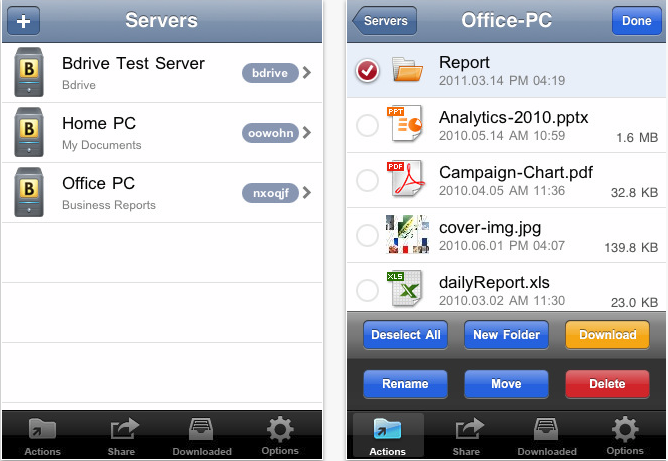
Well this is most amazing and extremely useful app that has ever been developed. I could say this with my eyes closed. Its all a working person could ever want especially for business individuals who are always on the move.
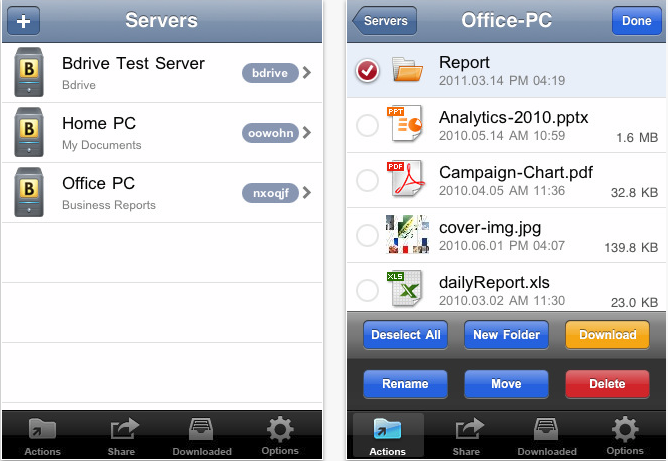 rel=“nofollow>
I’ve experienced chaos myself when I was on one of my business trips to Hongkong and one of my very important clients had asked me to forward a very important file. To my bad luck, I was not able to access it as it was on my PC at the office. I asked one of my colleagues to send it out for me, here’s where a favor turned into a disaster. She sent the wrong one and man was I in big trouble.
Ever since, I made sure I carried all my important files with me, and if there’s a circumstance where I had to send out an important file in my absence from work , all I could do is keep my fingers crossed. My very good friend who was aware of my experiences, introduced me to this amazing app which now keeps me off pins when I’m away on business trips.
The app is absolutely amazing, it helps me access any file from my PC at home and at work through my iPhone whenever I need it. It’s called “One’s own personal cloud service”
Using the app is actually very simple, first you’ll have to install the app on your office PC making sure you set your office folders or files to be shared. Then if you need to access your Bdrive from work at home, you’ll need to add your Bdrive server id to your home client and boom!!, the Bdrive will appear on your screen which is your office PC at home.
Now that, that’s accomplished, you can access you files from your iPhone anytime remotely. And if you need to send an important document, just access iPhone client which enables you to access the document to send out. You can also use it to share documents among the team, everyone under you could create a file for themselves and save it in the Bdrive, this way you can still keep a track of what’s going on at work when your away and you need not carry your huge laptop out when your at dinner with your friends and family, access it all on your iPhone, its just a touch away. Now that would be sneaky, if you were to try it when your out on a date with your partner.
Well this is where work is concerned, how about entertainment and family, it could be done the same way. You could download favorite pictures, family videos, songs and movies from your PC which will help keep important things that are close to your heart within the palm of your hand. Once they have been downloaded they can be viewed even in the absence of a network connection. You can also use it to share pictures or videos through twitter and facebook so you can always stay connected. Now “You’ve got the whole world in your hands”
Price: Free
Rating: 4/5
 rel=“nofollow>




No Responses to “Bdrive App Review”