
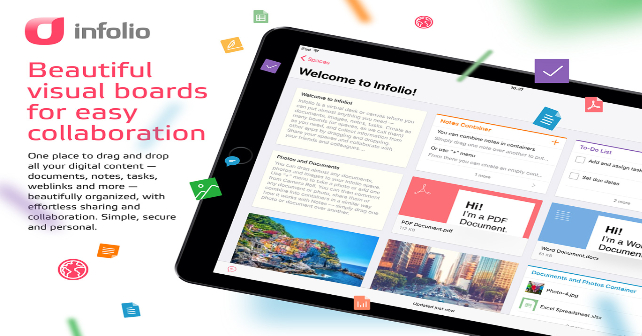
What could be better for any collaborative work than to have all the resources that you need to fulfill a specific task in one place? Yes, computers and mobile devices let you access your data from one platform. However, wouldn’t it be more advantageous if you were able to organize, view, share and collaborate on all of them from a single screen instead? Infolio is able to do this for you and includes a number of features that streamline any kind of collaborative work.
Whether you’re running a marketing, design or product development project that involves team work, rest assured that Infolio would be able to provide all the tools you need to make your ideas organization, brainstorming and sharing efforts that much easier. Think of the main Infolio interface as of a large board where you can place everything that your team needs to get the job done as conveniently and quickly as possible. Moreover, all the information is live and synchronized with the source systems it comes from.
For one, you are allowed to drag and drop all the information (documents, emails, notes, web links, and other applicable resources) you need to the board. Do you want a list of tasks you need to accomplish to be complemented by images and notes? All of these will be displayed on the board and remain accessible on the Web, and on iPad/iPhone so your team would always be able to get all the information they need. The Activity Stream and Chat embedded into each Workspace (or information board) allow real-time team communication in one place. Also, some other communication tools, e.g. Slack channels related to the specific project, can be integrated within the board using Infolio web clipping feature.
 You have the freedom to create and edit whatever you choose to share on the board. And everything can be easily done without spending too much time on information organization. Start by pulling on the documents and images you need for the project or research topic. Then assign tasks, for instance, you only have to tap on the + sign to start creating your list. You can freely type your tasks and they will automatically be rendered as lists. The same can be said for notes, which can be about practically anything (e.g. tips, to-do lists, bonus instructions, etc.)
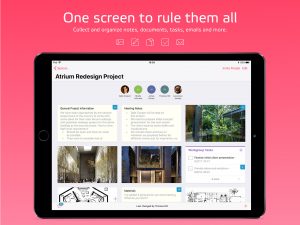 You are also able to freely invite people to boards that you’ve created. Take note that those who register are allowed to perform any addition or modifications to the content that you’ve shared, however, information can be made available to anyone in read-only mode. This is also a necessary step for comments and chats between the two of you or any other member of the team possible.
Infolio, in short, is a digital workspace that keeps all the information, team members and communications in one place, visible and visual. It makes teams finish their work faster, better, and easier. This is a benefit that not a lot of other team productivity/collaboration apps could boast of and is what sets Infolio apart. iPhone app is only a companion to a way more powerful iPad app and Web version of Infolio. It is a highly intuitive and polished workspace creator that any team would instantly love to use.
Price: Free

-
Features of the App
-
Ease of Use
-
User Interface


No Responses to “Get the Best Possible Collaborative Work Convenience You Want In One Digital Workspace”