
scale2print is an app for iPhone and iPad that allows users to choose the photos that they want to edit and print the images with crop marks and alignment marks, in larger sizes (8×10 and 16×20). This means that you can use one full sheet of paper, but also four different paper sheets to print your photos. In order to stick the images together, the crop marks are meant exactly for this purpose. It only takes a few minutes to print images in large sizes with your own printer and your iPhone.
There are two ways of printing using this app: portrait and landscape. In order to obtain theideal image, there are different functions that you can use, such as zooming in and out, controlling the position of the image and rotating the image. The printer you use has be be AirPrint compatible. But, there is a way to send the image to a printer that doesn’t have the AirPrint feature implemented. The pictures can be sent in this way through email, as email attachments (PDF files).
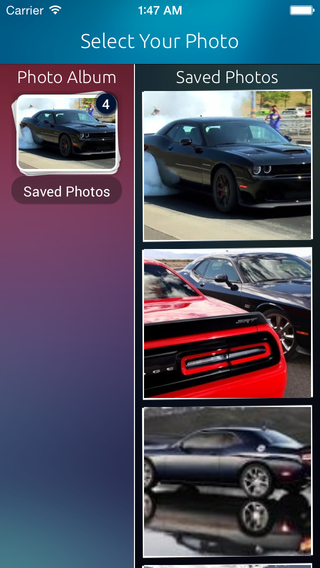
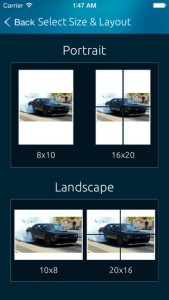
After you enter the application, you will have a screen that asks you to select your photo. The screen is split in two columns.To the left, you will have the photo album folder and to the right, you will have the saved photos from that folder, arranged in a column. You have to choose one image and you will enter the screen where you will chose the portrait or the landscape format. For portrait, there are two options: 8×10 and 16×10. The landscape format also has two options: 10×8 and 20×16.
Now it’s time to get into the image editor. Here you have three user controls: Pinching, Rotating and Dragging. It is also shown in three icons how you have to move your fingers to do the three procedures. The three controls are After the image has been modified, two final options will appear on the screen in the form of icons: an envelope and a printer.
The company that made the application is Klodus Technologies and it designs custom application for Android and iOS. There are two languages available and works only on versions of iOS equal or higher than version 7. The program is optimized to work best on iPhone 5. You can find the application on AppStore or iTunes under the price 1.99 dollars.
Price: $1.99
Rating: 4/5



No Responses to “A Review of Photo Editing App for iPhone Called scale2print”