

Are you a golfer who has no time to step into the ground to play your favorite sport? Does your family life and hectic work schedule keep you indoors most of the day? You need not worry about missing out on the fun as there are plenty of apps available that let you relive those good ol’ days. Golf – iSports Swing is one such app that lets you enjoy golfing, wherever you go.
What’s the app about?
Golf – iSports Swing is a gaming app that allows you to play the game using your iPhone. It has four different courses and offers 28 tee-off points to start with. The app makes use of the iPhone’s accelerometer. To hit the ball, all you have to do is swing your iPhone like a real golf club.
Working of the app:
When you open the app you will find 3 main choices: ‘Play’, ‘Scores’ and ‘Instructions’. Under the ‘Play’ option you will find 2 levels: The Practice Range and Sandy Links. To swing the club you have to hold the swing button that appears in the play area. You then have to just swing the device like how you would if you are actually hitting a ball. The score is displayed on the screen and it is based on your stroke. To avoid negative scoring, you will have to be careful not to drop the balls in water.
The ‘Scores’ option displays the scores you have obtained so far. The leaderboard displays the names and scores of your competitors in each level. You can challenge your friends to beat your scores. The ‘Instructions’ option provides a clear description on how to play the game.
Special features of the app:
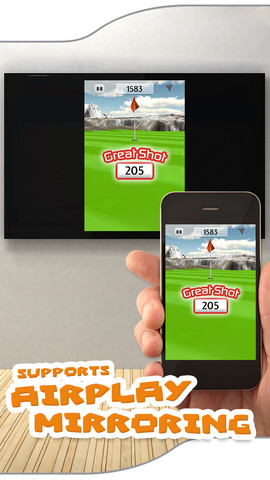
Golf – iSports Swing has got astounding high-definition graphics. It also has a well-designed user interface. You can post your scores on Facebook and Twitter. What’s more, the app supports Airplay mirroring, and you can play the game on your Apple TV.
The app displays many ads and they are quite distracting. When you make an in-app purchase you can remove the ads and unlock the Arctic Waters and Rocky Falls game levels. It would be great if the developers could add more golf courses to the game in the future.
Golf – iSports Swing gives you the feel of playing a real golf game. It is a free app that requires iOS 5.0 or later versions.
Price: Free
Rating: 4/5



No Responses to “Golf – iSports Swing – Just Swing your iPhone to Play Golf”